TECHNICAL ARCHITECTURE
The Keen Agents Platform
20 services per sandbox. Per-company VM isolation. IDE-native development. Production-grade from day one.
As of April 15, 2026
NestJS microservices + Express/Socket.IO (engine) + Next.js (2 frontends) + Java/Spring Boot (deployment) + Terraform + Docker Compose on GCP
SYSTEM OVERVIEW
How It All Connects
Three layers working together: a central control plane, isolated company environments, and a developer-facing IDE extension.
Master Admin
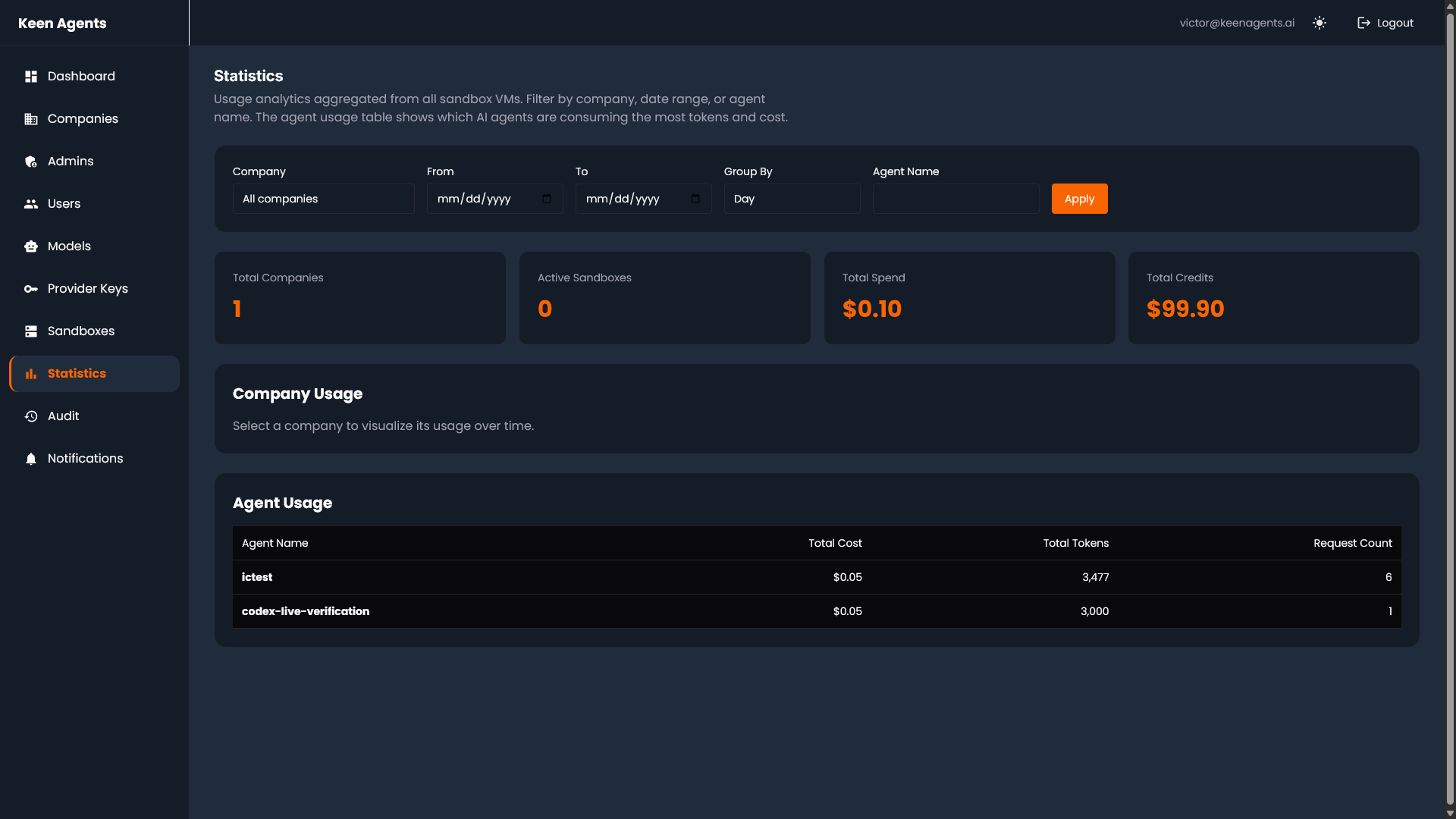
Central control plane. Manages all company sandboxes, credit pools, model registry, usage tracking, and billing. The admin sees everything across every tenant.
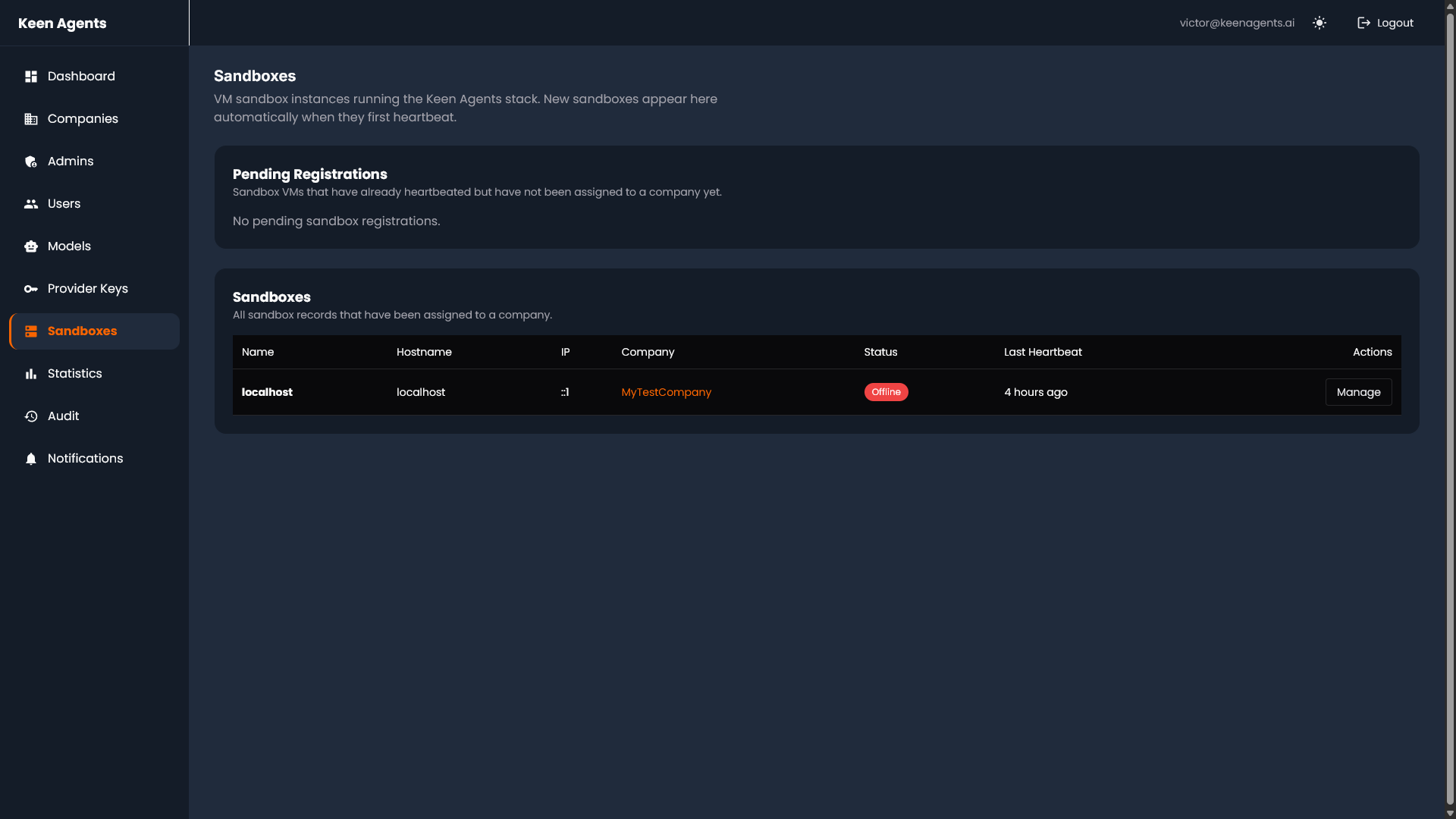
VM Sandboxes
Each company gets a fully isolated GCP VM provisioned via Terraform. Complete stack deployed per tenant: all 20 services, own database, own Redis, own nginx. Zero cross-tenant access.
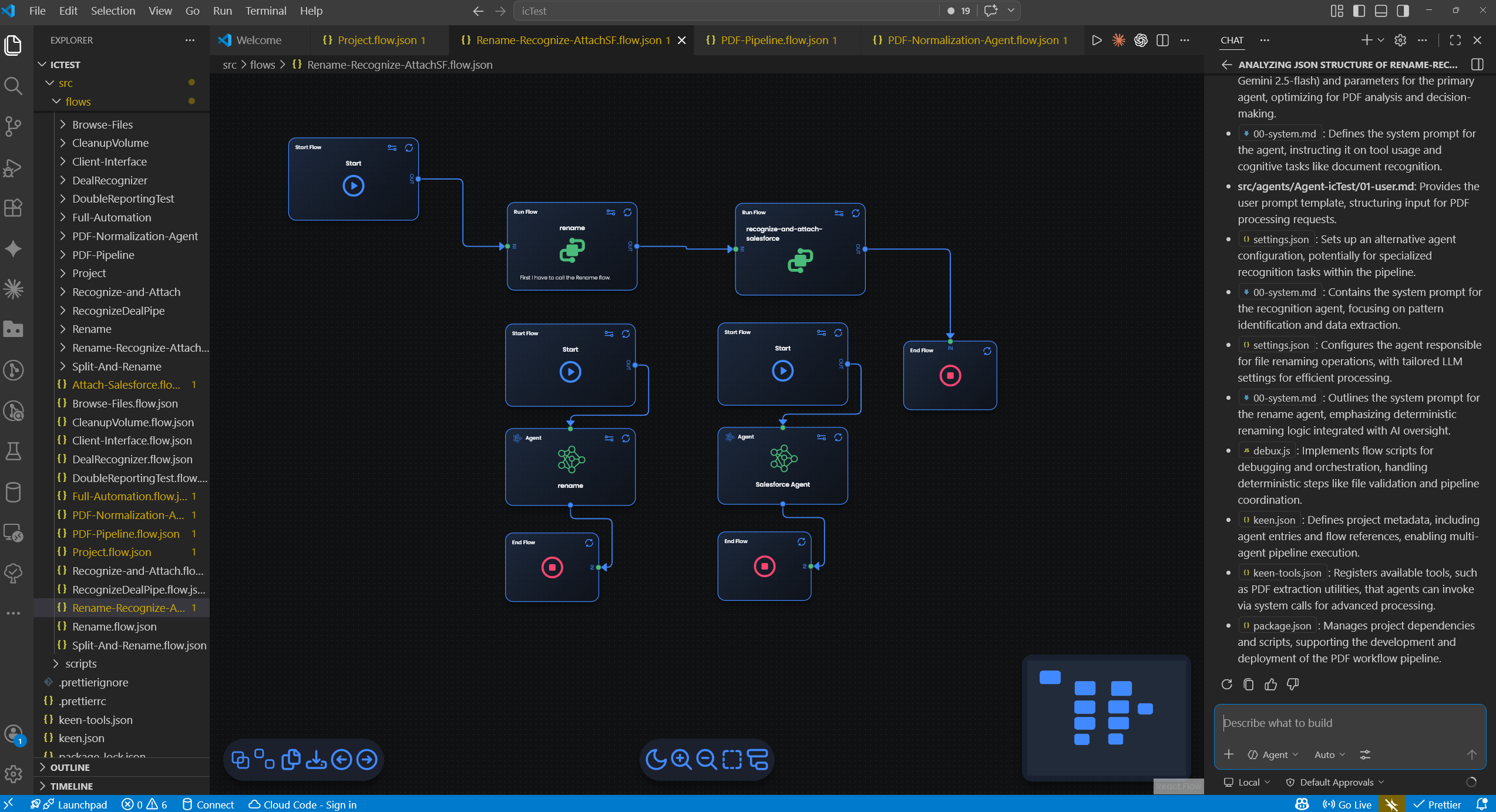
VS Code Extension
Developers connect to their company’s sandbox from VS Code. Build flows visually, debug remotely, deploy with one click. Nothing runs locally — everything executes on the sandbox.
MASTER ADMIN
Central Control Plane
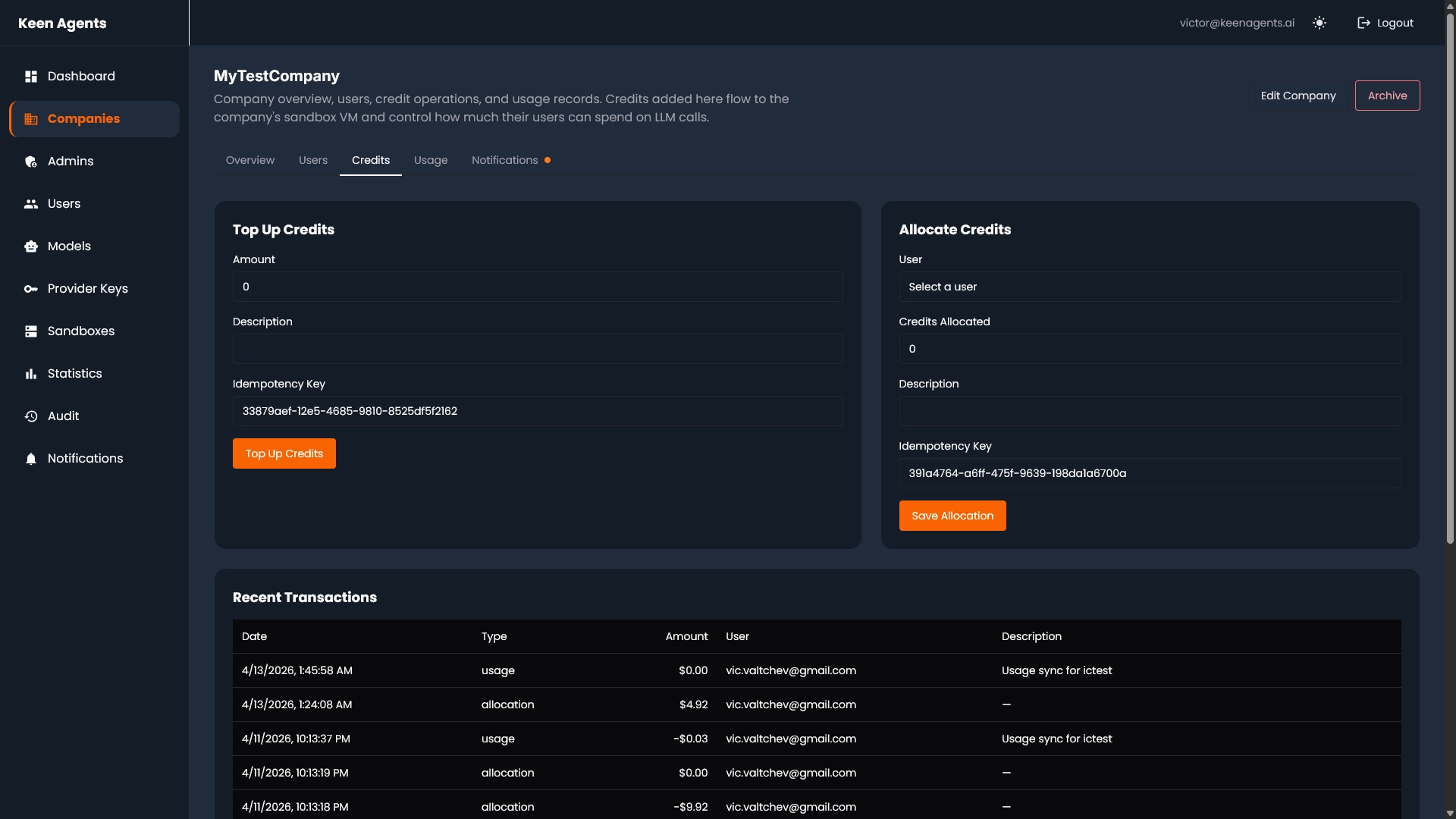
Centralized administration with role-based access and audit trails. Credit management, model configuration, usage analytics, and company management — across every sandbox.
Credit Pools
Allocate LLM credits per company. Track consumption in real-time. Set limits, alerts, and auto-top-up rules.
Model Registry
Configure which LLM providers and models each company can access. Claude, GPT, Gemini — swap with a config change.
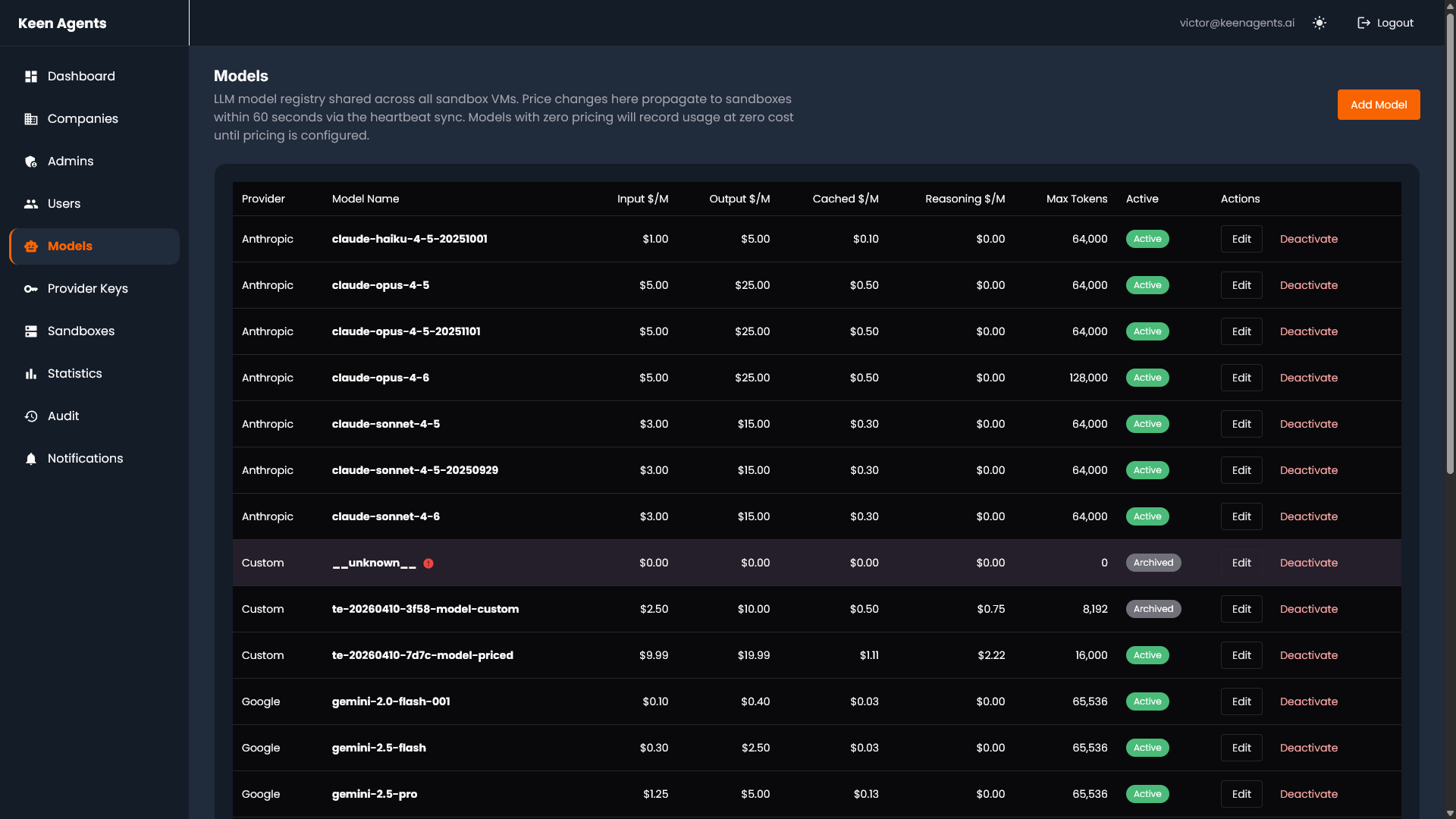
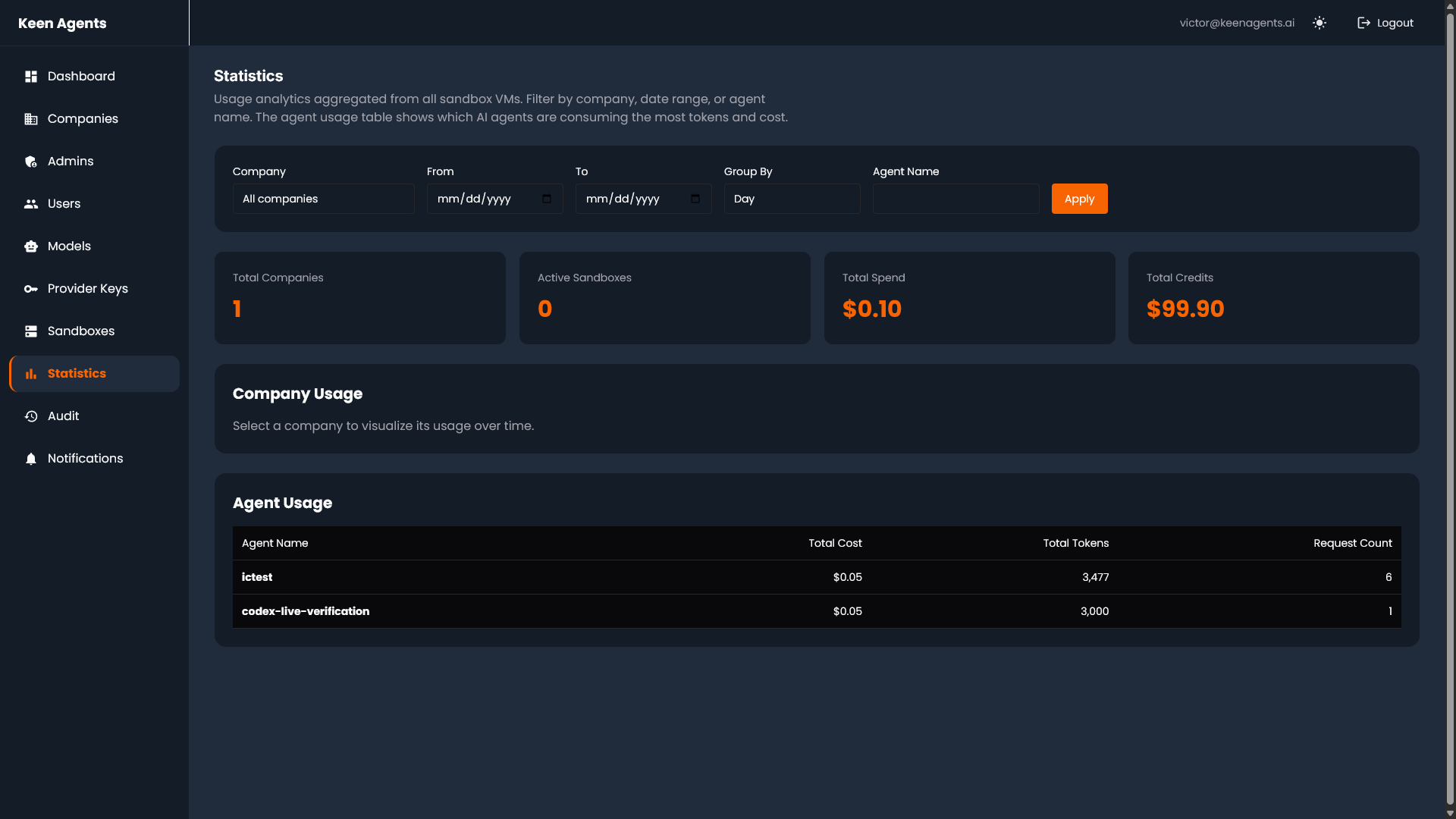
Usage Tracking
Per-company, per-model, per-agent usage dashboards. Token counts, latency percentiles, cost breakdowns.
VM SANDBOXES
Per-Company Isolation
Every company gets a dedicated GCP VM with the full platform stack. No shared resources. No cross-tenant leakage.
Terraform-Provisioned
- One Terraform module per sandbox
- VM, firewall rules, DNS, SSL — all automated
- Spin up a new company in minutes, not days
- Consistent infrastructure across every tenant
Full Stack Per VM
- 20 services via Docker Compose
- Own PostgreSQL + Prisma ORM
- Own Dragonfly (Redis) cache
- Own nginx with SSL termination
- Own NATS event bus
- Health-check dependency ordering on boot
Security Boundaries
- No cross-VM network access
- Only port 443 exposed (nginx)
- Internal Docker network isolation
- Argon2 password hashing
- 2FA on GCP console access
- Signed access tokens for remote debugging
THE EXTENSION
IDE-Native Development
VS Code, Cursor, any IDE that speaks extensions. Not a browser canvas — a real engineering environment where developers already live.
Visual Flow Builder
Drag-and-drop agent orchestration inside the IDE. 14 node types: agents, scripts, conditions, loops, parallel execution, and more.
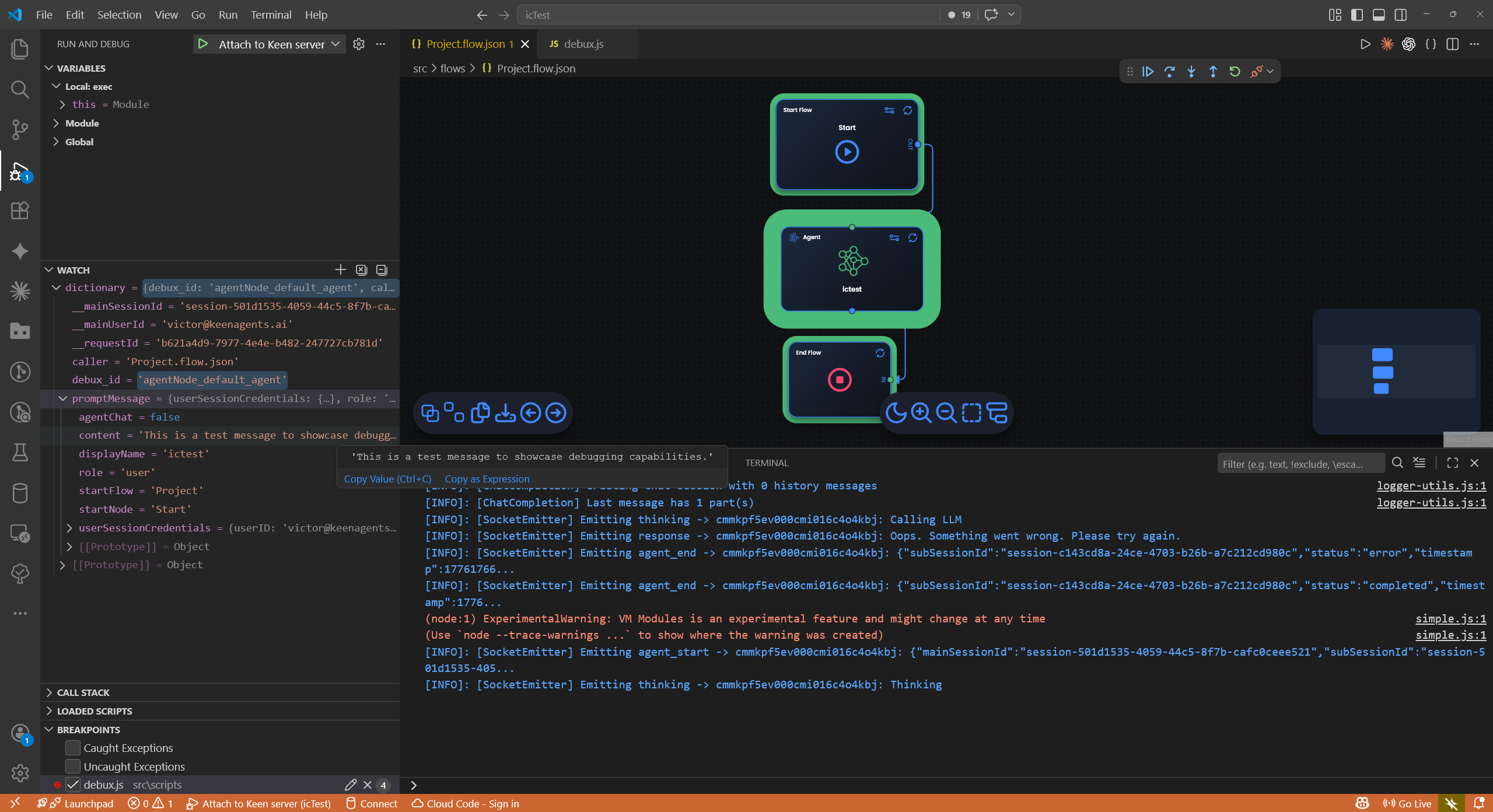
Remote Debugging
Connect to the engine for step-by-step execution. Conditional breakpoints, dictionary state inspection, flow-scoped persistence. Nothing runs on your machine.
One-Click Deploy
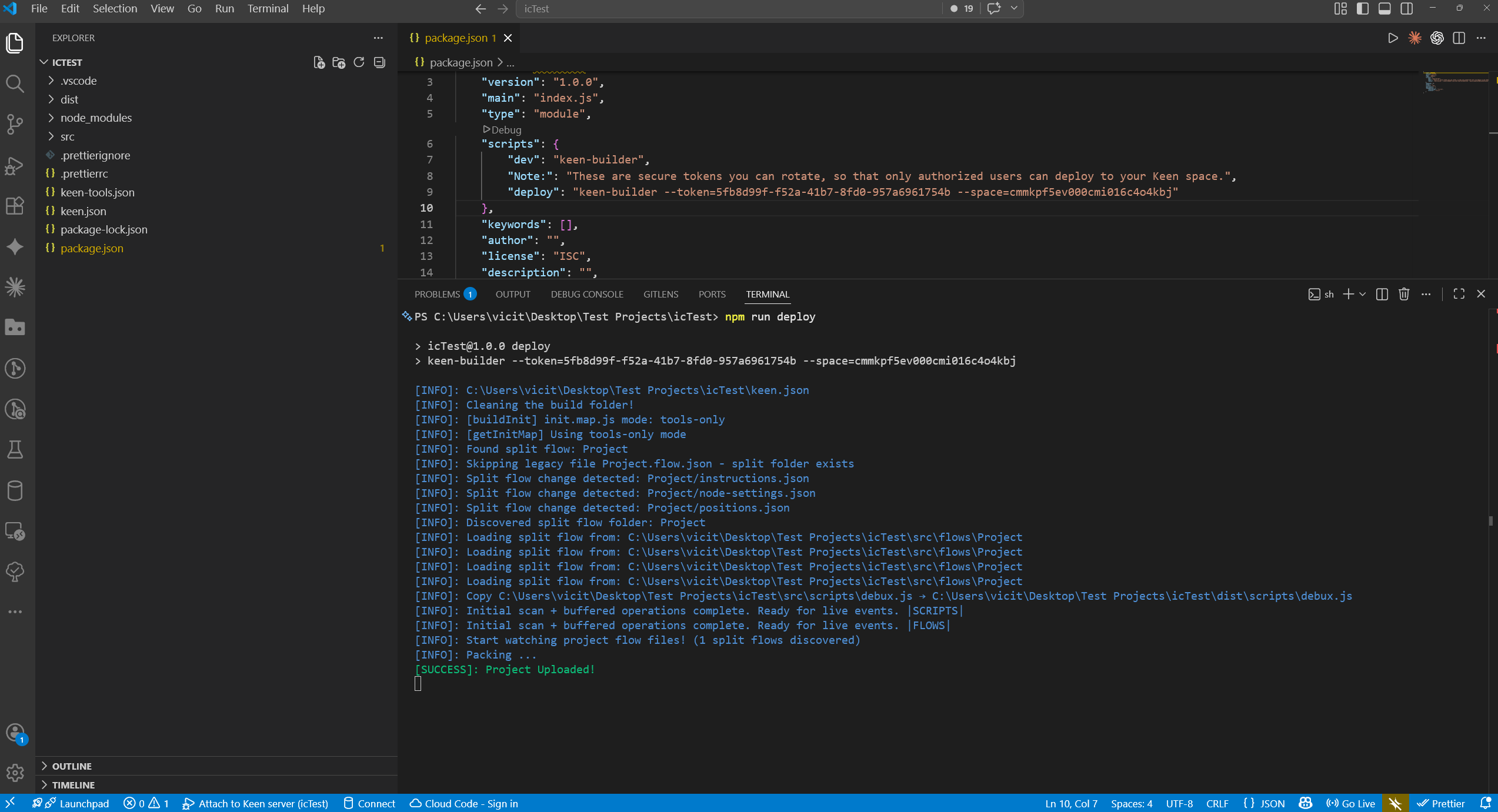
Compile, package (.zip), and deploy to the sandbox engine from the command palette. CI/CD pipeline with security token authentication.
MICROSERVICES
20 Services. 4 Layers.
NestJS microservices communicating over NATS event bus. Node.js execution engine with WebSocket real-time updates. PostgreSQL + Prisma for data, Dragonfly for caching.
JavaScript / TypeScript
The entire Web IT world speaks JS. Developers don’t need to learn a new language. TypeScript strict mode on all backend services.
Code-First, Not No-Code
Split-format flows: 3 focused files per flow (20–100 lines). Version-controlled, Git-friendly, code-reviewable by humans and LLMs.
LLM-Agnostic
Tool calling via structured XML — provider-independent. Swap OpenAI, Anthropic, Google with a config change. No vendor lock-in.
Machine-Readable by Design
Split format instead of 12K-char monolithic JSON. Agent prompts as plain markdown. $schema declarations. An LLM can understand an entire project in minutes.
FLOW BUILDER DEEP DIVE
How Agents Are Built
14 Node Types
Engine Capabilities
- Dictionary pattern: shared key-value state across all nodes
- Dynamic node inputs with {dictionary.key} injection
- Reusable helper flows shared across projects
- Built-in SDK libraries: file I/O, message streaming, structured logging
- Parallel execution with context isolation per branch
- Agent prompts as markdown files on disk (00-system.md, 01-user.md)
- $schema declarations on every config file
- Human-readable node IDs alongside generated ones
Split Format: 3 Files Per Flow
- Git-friendly diffs (no 12K-char single-line JSON)
- Code-reviewable in standard PR workflows
- LLMs can read and generate flows natively
- No proprietary UI required to understand the project
PRODUCTION READINESS
The Four Pillars
What separates a prototype from production. We built all four from the start.
Monitoring
- Dedicated monitoring microservice
- Real-time telemetry via Socket.io
- node:enter / node:exit event streams
- LLM call tracking with latency metrics
- Performance profiling per flow execution
- Dashboard-ready metric exports
Logging
- Structured logging (ms-logs service)
- NATS-transported log events
- Audit trails for compliance
- Per-flow execution traces
- Searchable history with filters
- Correlation IDs across services
Debugging
- Live engine step-through execution
- Conditional breakpoints (debux.js)
- Remote debugging — nothing local
- Dictionary state inspection at every step
- Flow-scoped breakpoint persistence
- Attach from VS Code or Chrome DevTools
Evaluation
- Agent output quality assessment
- Flow execution success rates
- LLM response validation gates
- Cost-per-execution tracking
- Cost tracking per model and per execution
- Execution success rate monitoring
Remove one pillar and the system becomes a black box. We built all four because we’ve been burned by systems that didn’t.
INFRASTRUCTURE
How We Scale
One module per sandbox. VM, firewall, DNS, SSL — all automated.
20 services with health-check dependency ordering. One command to deploy.
Event bus for async inter-service communication. Decoupled, scalable.
Auto-scaling via instance groups. Terraform-managed. Multi-region ready.
CI/CD Pipeline
- Security token authentication for deploys
- Compile → Package (.zip) → Deploy to sandbox engine
- Remote deployment from the extension command palette
- No manual SSH or file transfers
- Rollback via previous deployment packages
Testing & Quality
- ~90% test coverage across all services
- TypeScript strict mode everywhere
- 2,000+ end-to-end tests across 33 repositories
- Adversarial QA: CLI probing + browser automation
- State machine abuse, concurrency attacks, cross-tenant isolation tests
IN PRODUCTION
Shipping Real Work
DEEP DIVE: DEBUGGING
How Remote Debugging Works
Two modes: active blocking step-through and passive monitoring streams. Nothing runs locally.
Step-by-step: what happens when you debug
Key Components
Manages breakpoint lifecycle, attach/detach
CSS classes (breakpoint-set, breakpoint-focus) via DOM events
Remote inspector, time-limited, debux state sync
CDP proxy — /json, /json/list, /json/version, WebSocket to engine
Session messages, states, history snapshots for post-hoc investigation
DEEP DIVE: ENGINE
The Dictionary Pattern
A shared key-value store scoped to each flow execution. Every node reads from and writes to the same dictionary.
Concrete Example: Document Processing Pipeline
{ "input.file": "invoice-2024-001.pdf" }{ "input.file": "...", "extracted.text": "Invoice #2024-001, Amount: EUR 1,500..." }{ "document.type": "invoice", "confidence": 0.97 }// branches based on dictionary.confidence{ "invoice.number": "2024-001", "invoice.amount": 1500, "currency": "EUR" }{ "salesforce.result": "created", "salesforce.id": "0061x00000..." }Parallel Execution with State Isolation
- Parallel In: snapshots the current dictionary, creates N copies
- Each branch gets its own dictionary — writes are isolated from siblings
- Parallel Context: read-only reference to the pre-fork state
- Join: collects results from all branches, merges into combined dictionary
- Configurable: fail-fast vs complete-all when a branch fails
DEEP DIVE: DEPLOYMENT
What Happens When You Click Deploy
Rollback
Previous packages preserved. Rollback = re-deploy the previous .zip. No git archaeology required.
Zero Local Execution
Nothing compiles or runs locally. The project is JSON configs + markdown prompts. All execution happens on the sandbox VM.
HOW WE WORK
Built by AI, Orchestrated by Senior Engineers
Our senior engineering team works hand-in-hand with AI agents at every stage. Architecture is a collaborative effort between the team and AI. Implementation, testing, and hardening are continuous loops where engineers guide, review, and validate every decision.
The engineering team designs the system architecture collaboratively with AI agents. Cross-validation between multiple AI systems catches design flaws before any code is written.
AI agents build under engineer guidance. Every commit is reviewed against architecture docs. The team stays actively involved throughout — this is not hands-off generation.
2,000+ end-to-end tests written with TDD. Then adversarial QA probes the system for edge cases that automated tests miss.
Multiple rounds of AI-assisted code review with engineer oversight. Remediation plans executed and verified before merge.
First production deploy: core functionality operational on day one. The system has shipped real work for three clients across logistics, automotive, and educational retail.
We don’t just build AI agents for clients. We use AI agents in our own engineering pipeline. We eat our own cooking — and it works.
We didn’t build a demo. We built the infrastructure.
keenagents.ai